Generiss Academy

Introduction to GUI Programming in Python (TkInter)

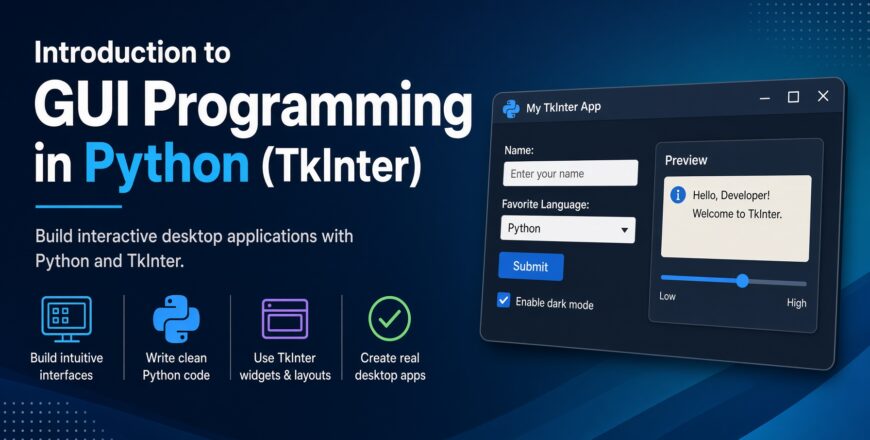
This course introduces you to Python’s built-in tkinter library—the standard cross-platform windowing toolkit for building desktop GUIs.
Instructor
Helen Nneka
24 Students enrolled
0
0 reviews
Introduction to GUI Programming (1)
  • Description
  • Curriculum
  • FAQ
  • Notice
  • Reviews

Welcome to Introduction to GUI Programming in Python (TkInter), an interactive, project-focused course delivered in official educational partnership with the OpenEDG Python Institute and edube.com. While command-line scripts are great for automation, real-world desktop software requires intuitive, visual interfaces that users can interact with seamlessly.

This course introduces you to Python’s built-in tkinter library—the standard cross-platform windowing toolkit for building desktop GUIs. Through browser sandbox labs and practical projects, you will learn event-driven programming, widget positioning, window properties, canvas graphics, and user input handling. Serving as Module 3 of the 5-part Professional Python series, this course aligns directly with the PCPP1 – Certified Professional Python
Programmer Level 1 certification exam.

What is Introduction to GUI Programming in Python (TkInter)?
It is an intermediate-level course created by the OpenEDG Python Institute and edube.com that teaches you how to construct visual desktop interfaces using Python's built-in tkinter module.
Which certification exam does this course align with?
This course directly aligns with Module 3 of the PCPP1 – Certified Professional Python Programmer Level 1 certification exam.
Do I need to install TkInter or an external GUI library on my PC?
No. TkInter is part of Python's Standard Library, and all exercises run directly in your browser via the Edube Interactive Sandbox.
What is event-driven programming?
Event-driven programming is an architecture where program flow is determined by user actions like button clicks, key presses, or mouse movements, which trigger specific handler functions.
What projects will I build during the course?
You will learn to construct real-world applications such as a desktop calculator, a Tic-Tac-Toe game, custom data entry forms, and simple text editors.
What geometry managers are covered?
You will master layout techniques using TkInter’s grid and positioning logic to arrange buttons, labels, entries, and frames within application windows.
Is an official certification exam discount code included?
Yes, completing the Pro course track provides an official discount voucher code toward your PCPP1 certification exam.
How long do I have access to the course content?
Enrollment grants you 12 months of uninterrupted access to all reading materials, interactive coding sandboxes, and module quizzes.

Basic Info

  • Course Code: PCPP1-3 (Professional Python Series - 3 of 5)
  • Sponsoring Body: OpenEDG Python Institute & edube.com
  • Target Certification: PCPP1 – Certified Professional Python Programmer Level 1 (Exam PCPP-32-10x)
  • Format: Online, Self-Paced with Interactive Browser Sandbox
  • Learning Assets: 2 Core Modules, Interactive Code Labs, Quizzes, & Real-World Projects
  • Inclusions: Official Diploma of Completion & Exam Voucher Discount Code

Career Paths, Roles, and Opportunities
Mastering desktop GUI architectures in Python opens doors across software utility development, data tools, and system automation engineering.

Potential Career Paths:

  • Desktop Application Development: Crafting cross-platform software tools, form applications, and desktop management consoles.
  • Software Engineering: Translating backend Python logic and database routines into interactive visual interfaces.
  • Internal Tooling & Automation: Building standalone graphical utilities to streamline administrative workflows for corporate teams.

Typical Job Roles:

  • Python Developer (GUI / Desktop Focus)
  • Software Automation Engineer
  • Desktop Application Developer
  • Junior Backend & Tooling Engineer

Current Salaries (UK & US)
Python developers skilled in desktop GUI development and full-suite software architecture
command competitive market compensation.

United States (US)

  • Junior / Mid Python Developer $75,000 – $98,000
  • Python Software Engineer $95,000 – $130,000
  • Senior Lead Systems Architect $135,000 – $175,000+

United Kingdom (UK)

  •  Junior / Mid Desktop Developer £40,000 – £58,000
  • Python Software Engineer £55,000 – £75,000
  • Senior Desktop / Tooling Architect £78,000 – £100,000+
Share
Course details
Duration 21 total study hours
Lectures 2
Level Foundation
Certificate Awarded
I yr
All
Course requirements
  • Prerequisites: Completion of Python Essentials - Part 2 (or holding the PCAPTM certification). You should already understand basic functions, classes, and object-oriented programming concepts.
  • Logical Foundation: Familiarity with Python syntax, loops, dictionaries, and elementary class structures.
  • Hardware & Software: Any computer or tablet running a modern web browser—all code executes inside the Edube Interactive Sandbox.
Intended audience
  • Intermediate Python Developers: Programmers looking to expand beyond console scripts and build graphical desktop tools.
  • Software Engineers & Analysts: Professionals creating internal desktop utilities, data entry forms, or interactive visual tools.
  • Computer Science Students: Learners studying event-driven programming architectures and GUI design principles.
  • PCPP1 Candidates: Developers studying toward the official OpenEDG PCPP1 certification.